
How to Create and Publish A+ Content
Zikhara helps you generate, edit, and publish A+ Content for eligible Amazon products.
Before you start
Your product must be eligible for Amazon A+ Content.
You normally need:
- An eligible brand
- Amazon Brand Registry
- Permission to manage A+ Content for the ASIN
Note: If you cannot manage A+ for the same ASIN in Seller Central, publishing from Zikhara will also fail.
Step 1: Open the product
Go to My Listings and select your ASIN.
Step 2: Open A+ Content
Select the A+ Content section.
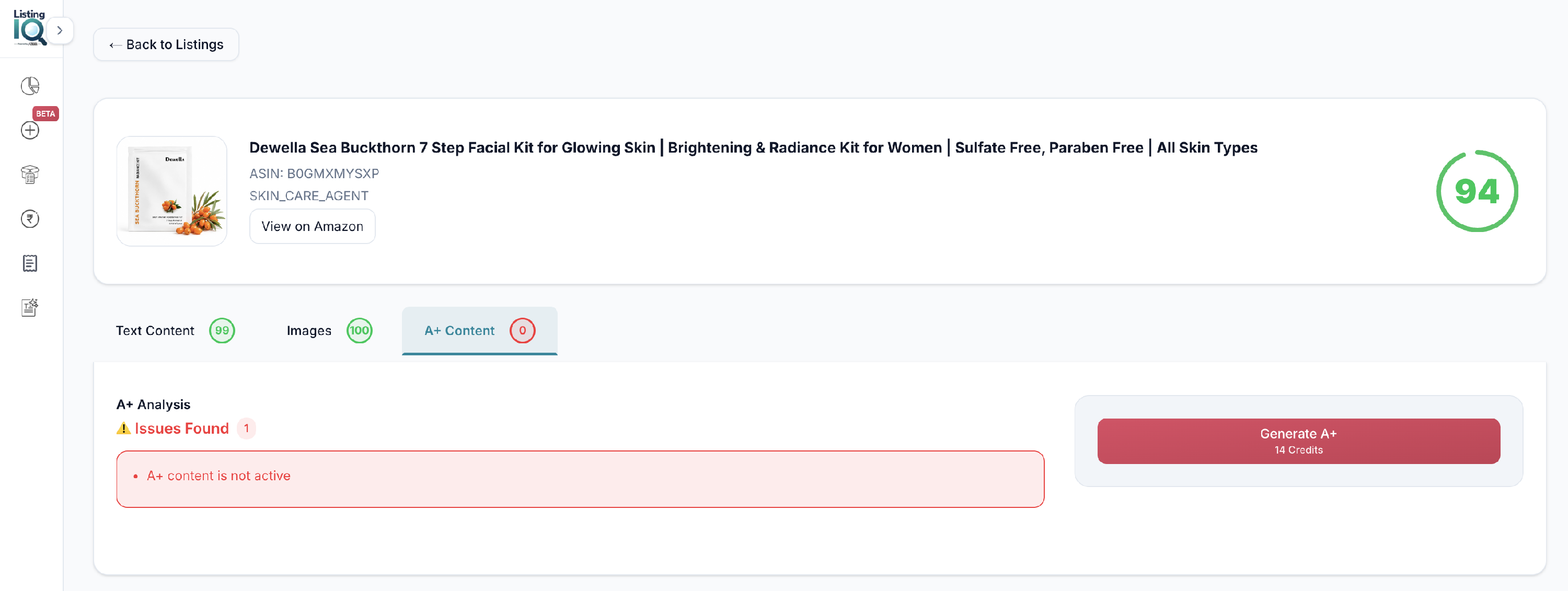
Step 3: Generate
Click Generate.
Zikhara AI creates A+ Content for the product.
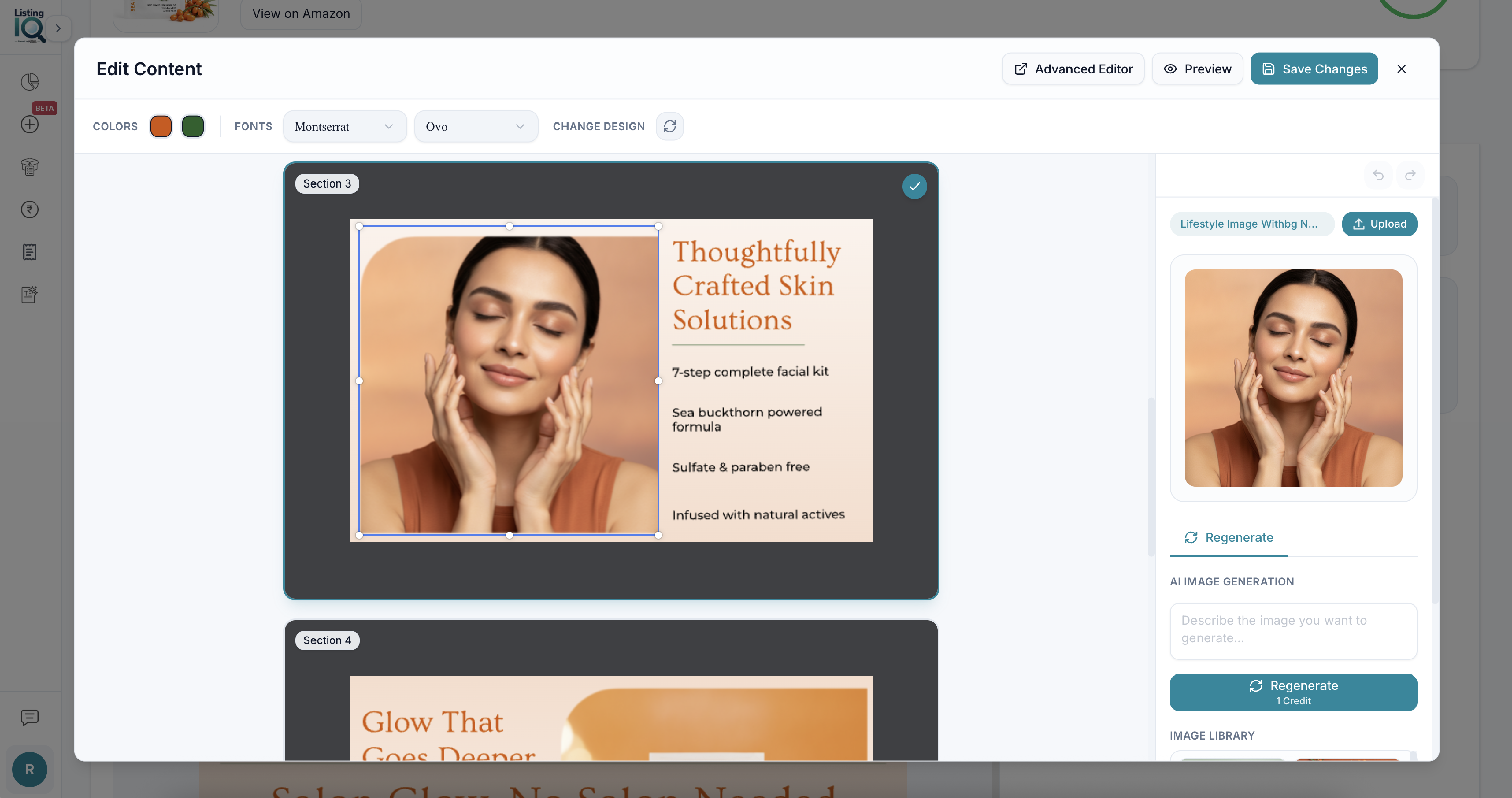
Step 4: Review and edit
Open the editor to make changes. You can:
- Change text
- Adjust colours
- Change parts of the design
- Update content to match your brand
Step 5: Publish to Amazon
Review everything carefully, then publish.
Important: Amazon may take up to 48 hours to process the update and show it on the product page.