
How to Create Product Images and Graphics with Zikhara AI
Zikhara AI can create product images and graphics for an existing Amazon listing.
You can generate images without changing your listing text or A+ Content.
Step 1: Open the product
- Go to My Listings.
- Open the ASIN you want to work on.
- Select the Images section.
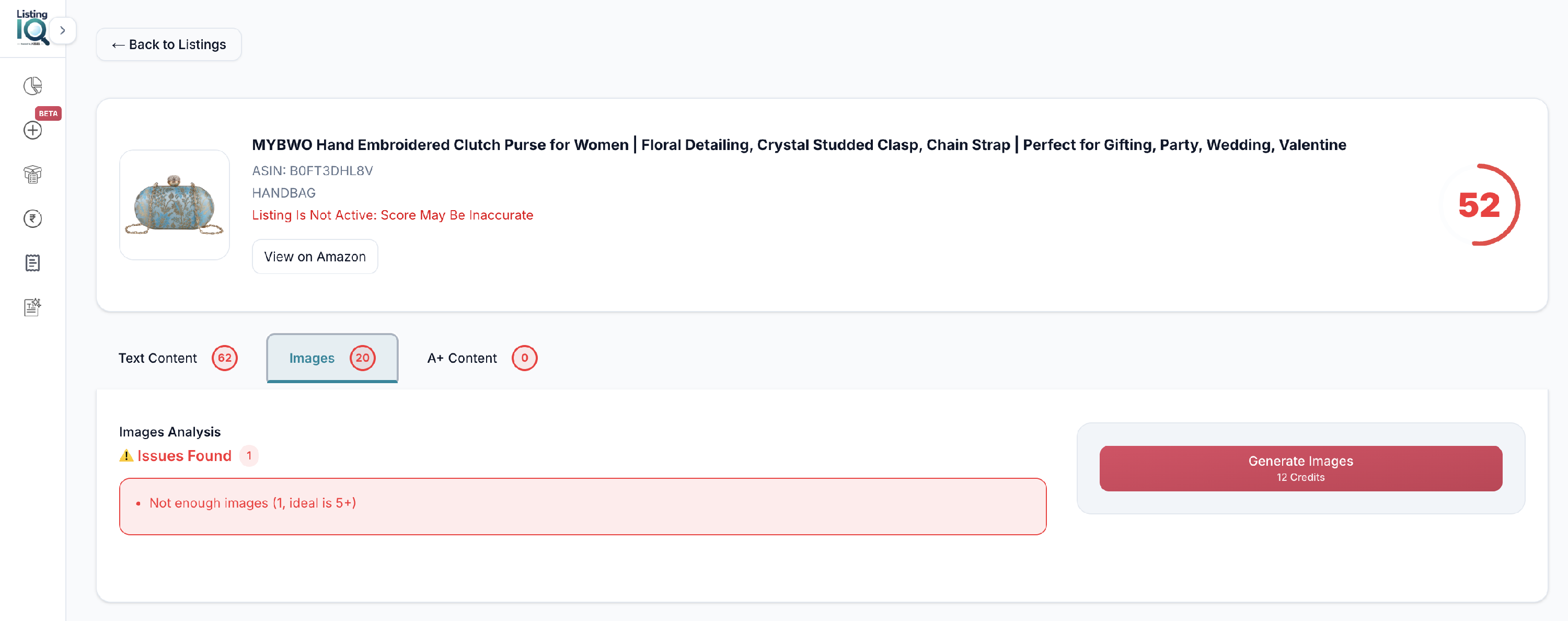
Step 2: Review the image recommendations
Listing IQ will show any image-related recommendations found for the product.
Review these before generating new content.
Step 3: Generate images
Click Generate.
Zikhara AI will create new image content for the product.
Step 4: Review and edit
Check each image carefully.
You can edit generated graphics and make changes before publishing.

Step 5: Publish when ready
Once you are happy with the images, publish the approved content to Amazon.
Important: Always check that the product shown in an AI-generated image matches your real product before publishing.