
How to Use Listing IQ
Listing IQ helps you understand the quality of your Amazon listings and what to improve next.
Step 1: Go to My Listings
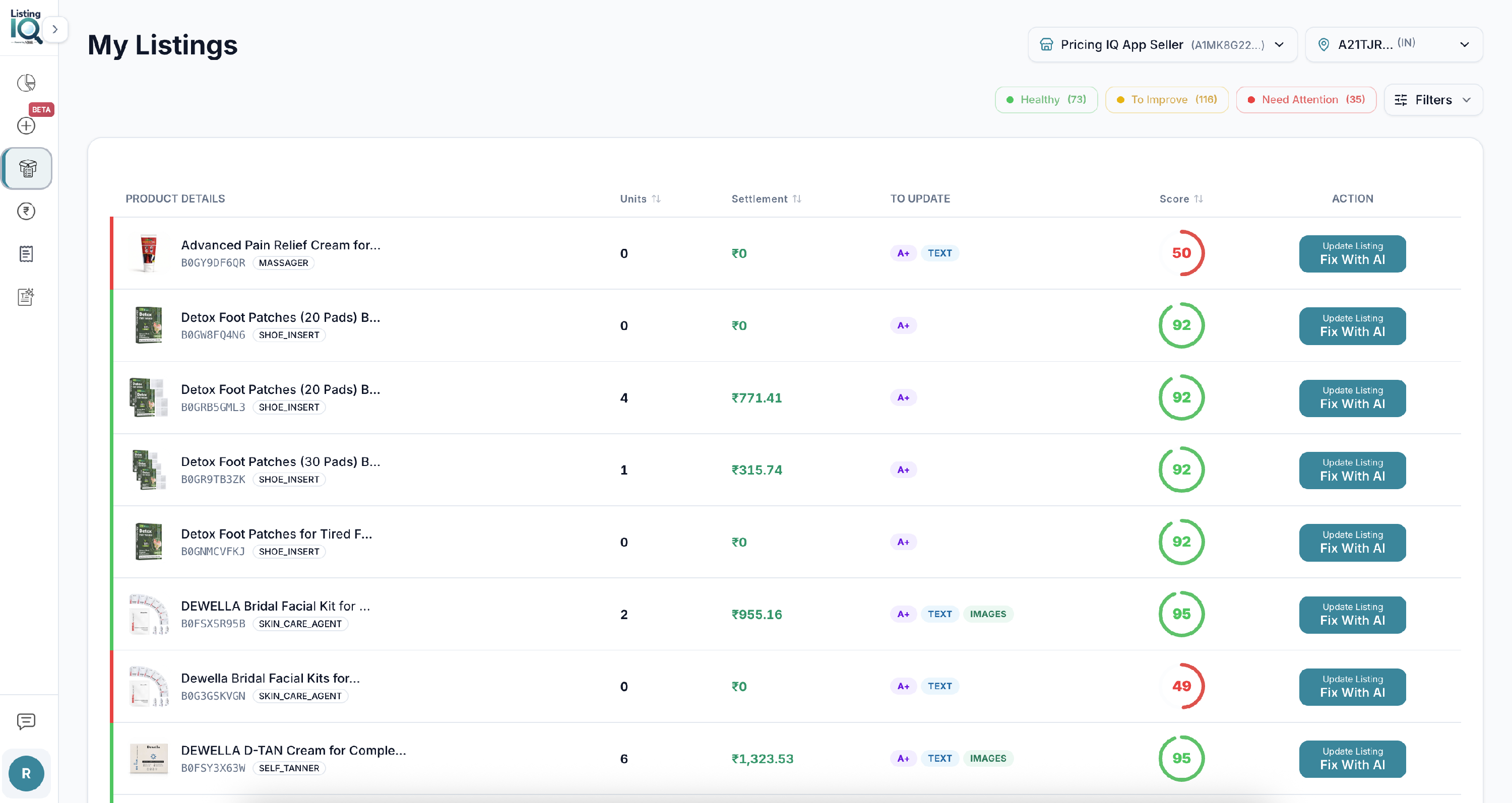
Open My Listings to see products imported from Amazon.
Step 2: Check the CDQ score
Each listing has a CDQ score.
Use it to quickly judge quality and completeness. A lower score usually means more areas to review.
Step 3: Open a product
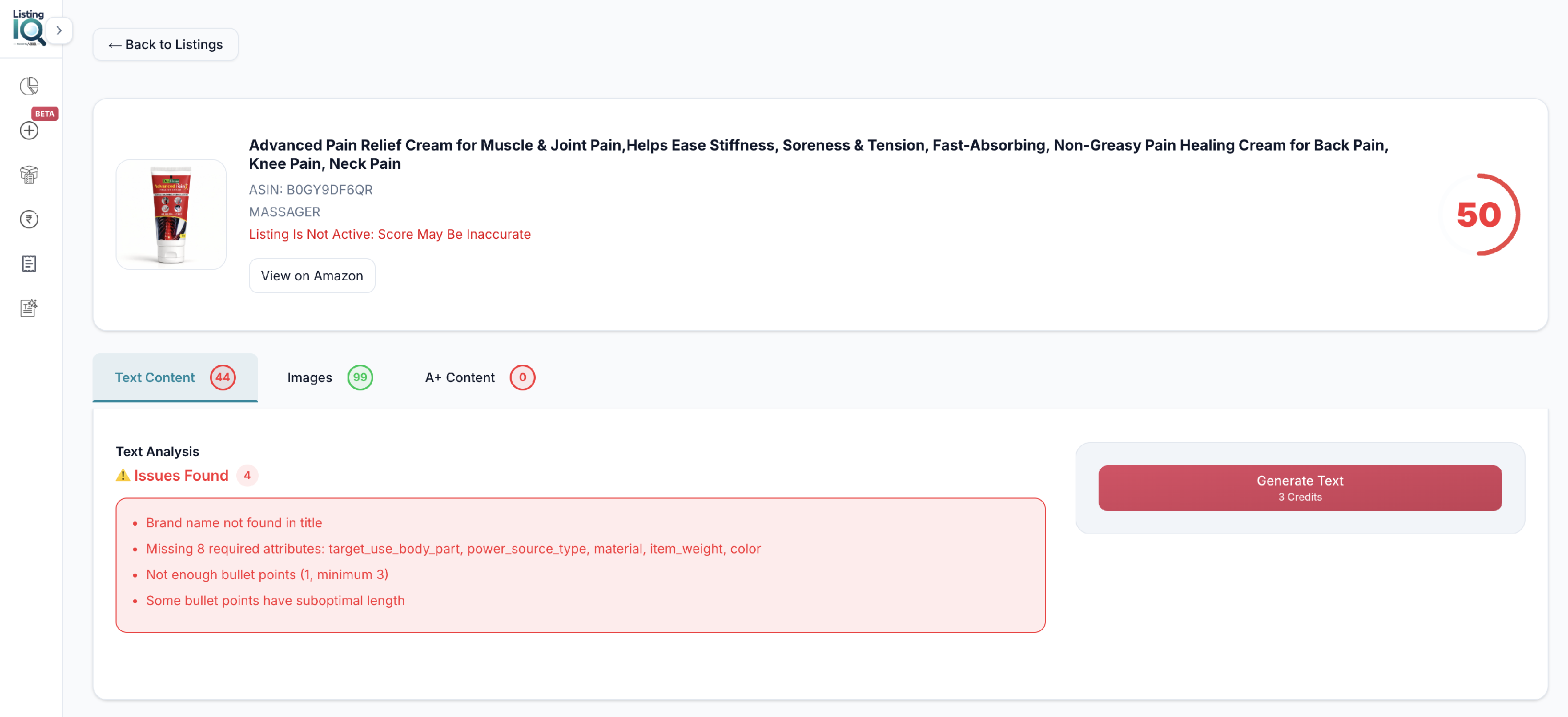
Select a product to see issues found by Listing IQ.
Issues are grouped into:
- Listing text
- Images
- A+ Content
Step 4: Choose what to improve
For existing ASINs, improve each area independently.
You can generate:
- Only listing text
- Only images
- Only A+ Content
You do not need to generate all three.
Step 5: Review before publishing
Always review generated content before you publish.
You can edit inside Zikhara before sending updates to Amazon.
Important: Amazon may take up to 48 hours to show published listing updates on the product page.