
How to Improve Your Listing Text with Zikhara AI
You can use Zikhara AI to improve the text of an existing Amazon listing without changing its images or A+ Content.
Step 1: Open the product
- Go to My Listings.
- Open the ASIN you want to improve.
- Select the Text Content section.
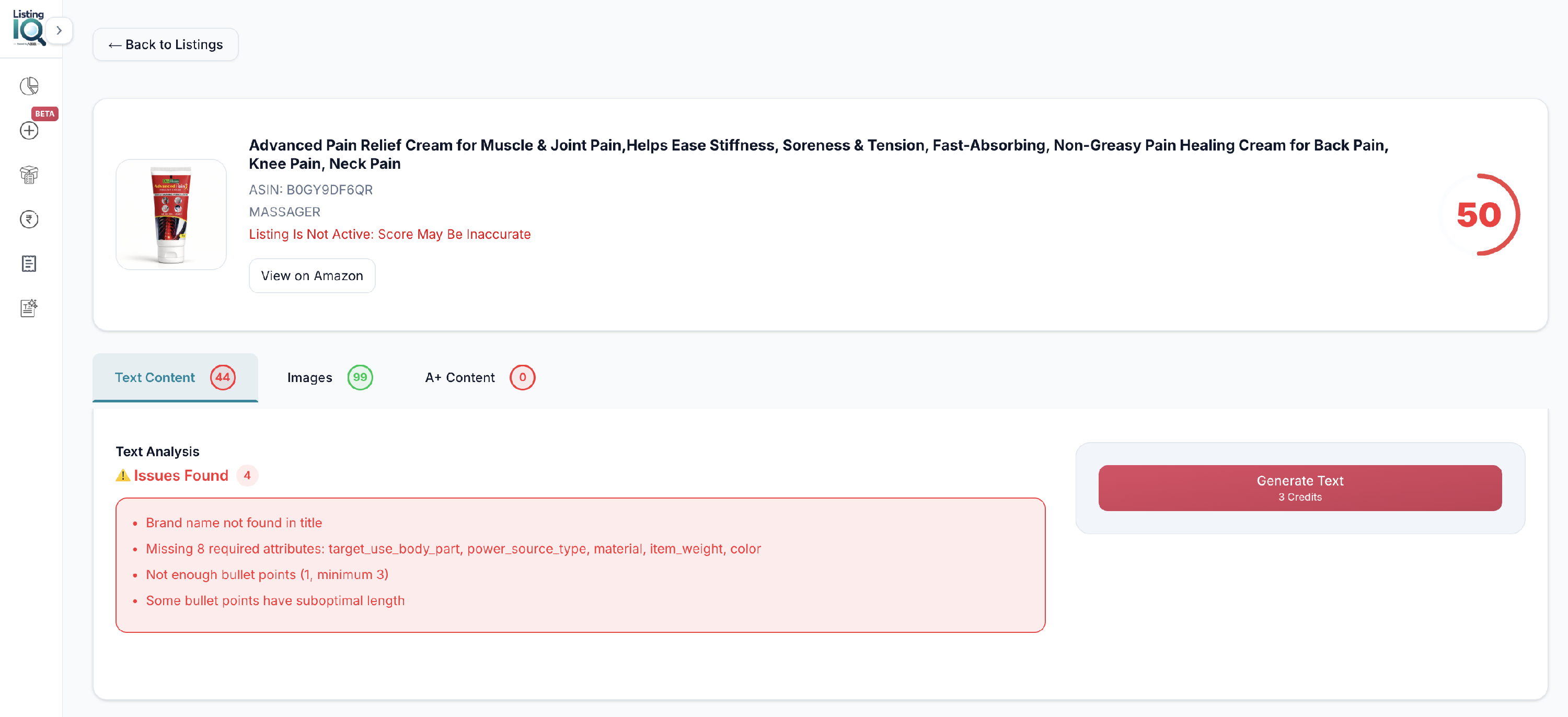
Step 2: Review the recommendations
Check the text issues identified by Listing IQ.
These may include areas such as:
- Title
- Bullet points
- Product description
- Missing or weak listing information
Step 3: Generate improved text
Click Generate.
Zikhara AI will create improved listing text for the product.
Step 4: Review and edit
Check the generated text carefully.
Make sure:
- Product details are correct
- Claims are accurate
- The wording matches your brand
Edit anything you want before publishing.
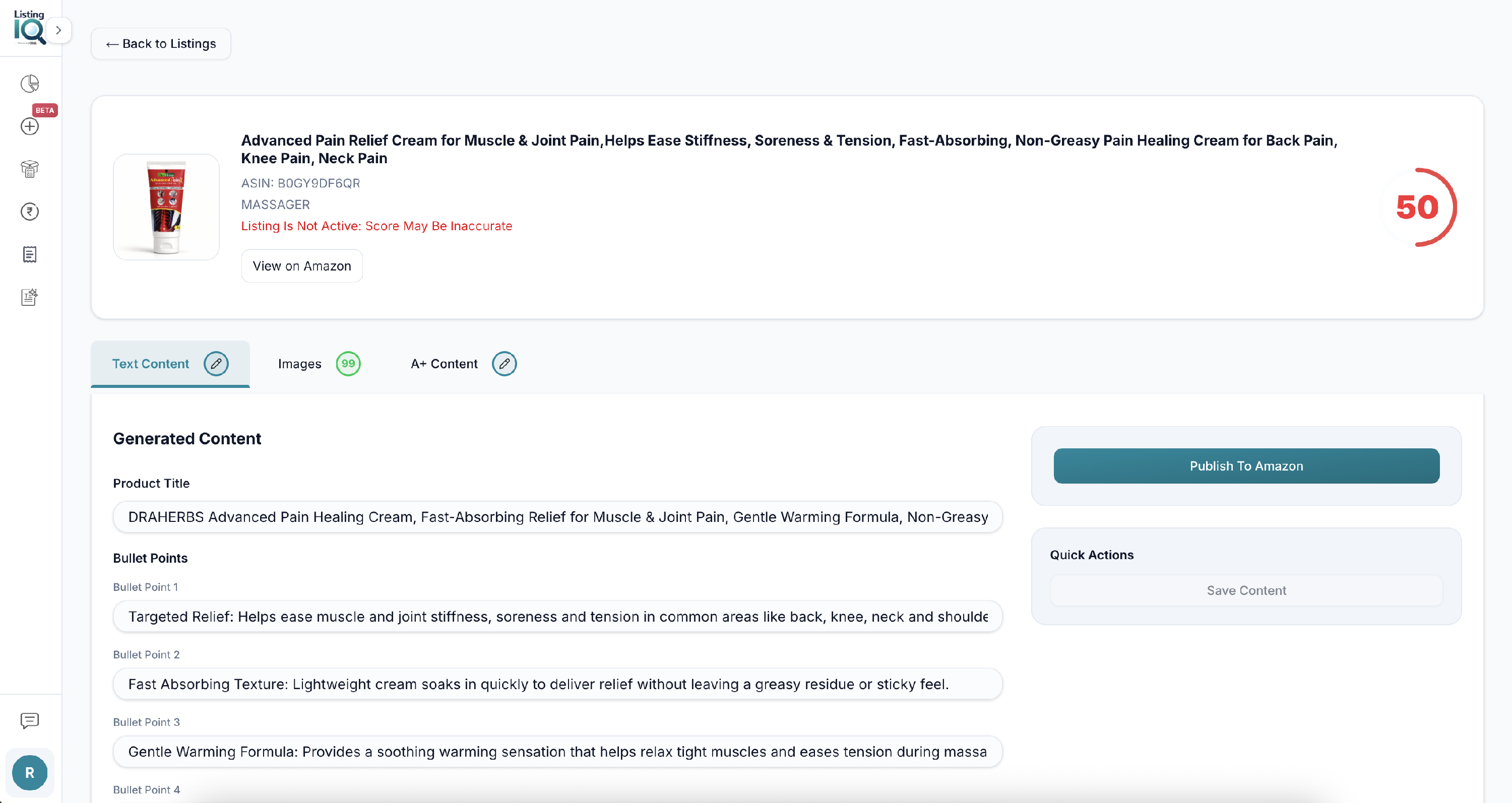
Step 5: Publish to Amazon
When you are happy with the text, publish the approved update to Amazon.
Tip: You can improve only the listing text. You do not need to regenerate Images or A+ Content at the same time.